- Shell 100%
| Filename | Latest commit message | Latest commit date |
|---|---|---|
 Pecha
d58be17de1 [--theme [/path/to/file or theme_name]] [--iterative]
[--saturate 0.0-1.0] [--preview] [--vte] [-c]
[-i "/path/to/img.jpg"] [-l] [-n] [-o "script_name"] [-q] [-r] [-R]
[-s] [-t] [-v] [-e]
wal - Generate colorschemes on the fly
optional arguments:
-h, --help show this help message and exit
-a "alpha" Set terminal background transparency. *Only works in
URxvt*
-b background Custom background color to use.
--backend [backend] Which color backend to use. Use 'wal --backend' to
list backends.
--theme [/path/to/file or theme_name], -f [/path/to/file or theme_name]
Which colorscheme file to use. Use 'wal --theme' to
list builtin themes.
--iterative When pywal is given a directory as input and this flag
is used: Go through the images in order instead of
shuffled.
--saturate 0.0-1.0 Set the color saturation.
--preview Print the current color palette.
--vte Fix text-artifacts printed in VTE terminals.
-c Delete all cached colorschemes.
-i "/path/to/img.jpg"
Which image or directory to use.
-l Generate a light colorscheme.
-n Skip setting the wallpaper.
-o "script_name" External script to run after "wal".
-q Quiet mode, don't print anything.
-r 'wal -r' is deprecated: Use (cat
~/.cache/wal/sequences &) instead.
-R Restore previous colorscheme.
-s Skip changing colors in terminals.
-t Skip changing colors in tty.
-v Print "wal" version.
-e Skip reloading gtk/xrdb/i3/sway/polybar to match that present in PechaScripts
|
||
| LICENSE | ||
| README.md | ||
| video.gif | ||
| viscolourchanger | ||
| wal | ||

viscolourchanger
Intro
viscolourchanger is a program to dynamically change the colourscheme used by cli-visualizer (herein referred to as 'vis'), as generated by pywal.
##Setup and Configuration ###Initial Setup To make vis recognise the generated colour scheme, it is necessary to add the line
colors.scheme=wal
to the vis config file located at $HOME/.config/vis.config.
(It is also helpful to add the line
audio.stereo.enabled=false
in order to see a broader range of colours in the base vis config, but this is just personal taste and far more complex configurations are possible.)
###Further Suggestions
That is all there is to viscolourchanger itself, and in absence of something further, pywal and viscolourchanger run separately. However, it is useful to make a wrapper for pywal. A simple wrapper which I have written is located here, and will allow for on-the-fly colour changes as pywal is run. To use this wal wrapper, you will need to have viscolourchanger in your $PATH.
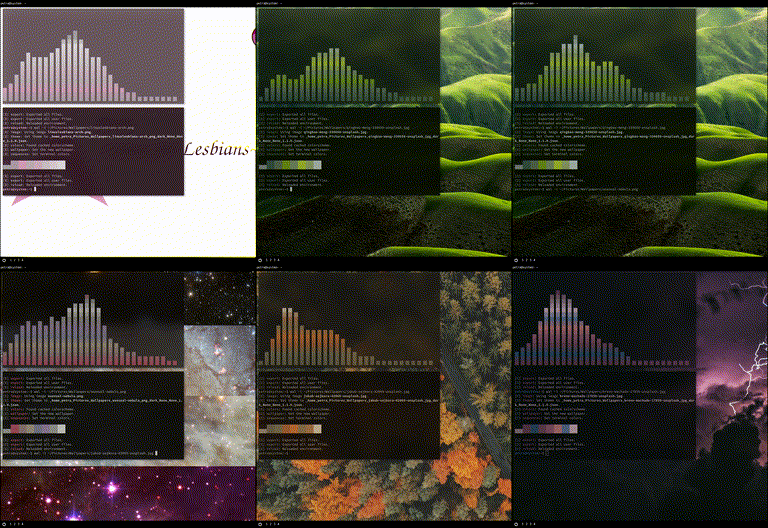
program in action